Maintaining the correct tire pressure on a motorcycle is not just about fuel efficiency or tire longevity—it is a fundamental safety requirement. A sudden drop in tire pressure can drastically alter your motorcycle's handling, increase braking distances, or cause a catastrophic blowout.
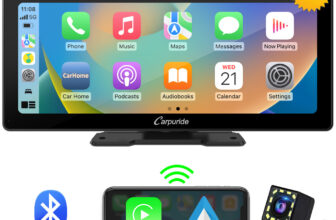
For riders utilizing smart portable motorcycle screens, a Carpuride tire pressure monitoring system (TPMS) offers a critical layer of defense, delivering real-time pressure and temperature readings directly to your handlebar console.
But what happens if a sensor gets lost, damaged by road debris, or if you need to outfit a second motorcycle in your garage?
This comprehensive guide covers everything you need to know about the Carpuride TPMS sensor in 2026, including exact dimensions for compatibility checks, pricing, step-by-step installation, and how to safely order authentic replacements.
Why Tire Pressure Monitoring is Vital for Motorcyclists
Unlike passenger cars, which have been mandated to include factory TPMS since the late 2000s, many modern motorcycles still do not come equipped with tire pressure monitoring. On two wheels, your contact patch is incredibly small—only about the size of a credit card per tire.
Even a minor drop of 3 to 5 PSI (Pounds per Square Inch) can result in:
Sluggish cornering: The bike resists turning in and feels heavy.
Excessive heat buildup: Low pressure causes the tire sidewalls to flex excessively, generating heat that can cause tread separation.
By integrating the Carpuride external TPMS sensors with your Carpuride dashboard, you get continuous visibility of your tires' health, complete with active visual and audible alerts if your PSI drops below or rises above your preset safety thresholds.
Before you purchase a replacement motorcycle TPMS sensor, you must verify that the physical dimensions of the external caps will safely clear your motorcycle’s wheels and braking components.
Exact Sensor Dimensions:
Diameter: 2.1 cm
Height: 1.6 cm
These compact dimensions make the Carpuride sensor one of the smallest external TPMS caps on the market, but clearance is still incredibly tight on certain motorcycle models.
Essential Compatibility & Safety Checklist:
Radial Clearance Check: With your bike on a center stand or paddock stand, spin both the front and rear wheels slowly. Measure the distance between your valve stem tip and any nearby static parts, such as the brake calipers, front fork lowers, swingarm, or rear brake bracket. You must have at least 2.1 cm of radial clearance. If a spinning sensor strikes a brake caliper at highway speeds, it can rip the valve stem completely out of the wheel, causing immediate tire deflation.
Valve Stem Material (Critical Safety Warning): External TPMS sensors screw directly onto the end of your valve stem. Because the sensor spins with the wheel, centrifugal force pushes the sensor outward. We highly recommend installing metal (aluminum or brass) valve stems rather than standard rubber ones. Over time, the rotational force on a rubber stem can cause it to flex, crack, degrade, and eventually fail. High-quality bolt-on metal valve stems eliminate this risk entirely.
Display Compatibility: These sensors are specifically calibrated to pair seamlessly with Carpuride's line of motorcycle consoles, including the Carpuride W502, W702, W603, and other TPMS-compatible dual-Bluetooth systems.
How to Order Genuine Carpuride TPMS Sensors (Step-by-Step)
Getting a genuine replacement set of sensors is highly affordable, but because they are managed as dedicated replacement parts, the checkout process is slightly different from a standard online shopping experience.
A replacement pair of Carpuride TPMS sensors costs just $25, and this price includes free shipping to your door anywhere in the United States.
To ensure you receive the correct, authentic hardware that matches your screen's firmware, follow this exact checkout procedure:
Because this is a flexible “Price Difference” page used for custom parts, you need to adjust the item quantity or value until your total checkout amount displays $25.
Step 3: Complete Your Checkout
Proceed to the payment page, fill out your correct US shipping address, and submit your payment securely.
Step 4: Confirm Your Order with Customer Support (Crucial Step)
Immediately after checkout, you will receive a confirmation email containing your Order Number. You must email or message Carpuride support with this order number and explicitly state:
“This payment of $25 is for a replacement pair of Carpuride TPMS Sensors for my motorcycle screen.”
Note: If you do not send this confirmation with your order number, Carpuride will not know what parts you require, and your order cannot be processed or shipped.
Step-by-Step Installation Guide
Installing your new external TPMS sensors is a simple, five-minute DIY task that requires no special mechanical skills or tire removal.
Tools Needed:
The small wrench tool (included in your Carpuride box).
Anti-theft hex nuts (included).
Your new Carpuride sensors.
Step-by-Step Instructions:
Prepare the Valve Stem: Remove your old valve stem caps and clean any dirt or road grit off the brass threads of the stem.
Thread the Anti-Theft Nut: Spin the anti-theft hex nut onto the valve stem threads first, winding it almost all the way down to the base of the threads.
Mount the Marked Sensors: Your sensors are marked with tiny letters: F for Front and R for Rear. Screw the “F” sensor onto your front wheel and the “R” sensor onto your rear wheel. You will hear a short hiss of escaping air as you screw it down—this is normal. Tighten it firmly by hand.
Lock the Sensor in Place: Use the provided wrench to back the anti-theft hex nut counter-clockwise (upward) until it presses tightly against the bottom of the TPMS sensor. This counter-locking action prevents the sensor from vibrating loose while riding and makes it impossible for someone to steal the sensor without the wrench tool.
Syncing to Your Carpuride Dashboard:
Power on your Carpuride motorcycle screen.
Navigate to the native TPMS Application on the home screen.
Enter the settings menu and initiate the sensor pairing sequence.
Spin the wheels or take a quick, short ride down your driveway. The motion-activated sensors will wake up, transmit their signals, and display your live pressure and temperature readings instantly on your dashboard.
Do I need to rebalance my motorcycle wheels after installing these?
With a diameter of only 2.1 cm and a height of 1.6 cm, these external sensors are incredibly lightweight. For daily commuting and adventure riding, most riders do not notice any wheel imbalance. However, for high-speed sportbikes, track days, or precision riding, it is highly recommended to have your wheels dynamically balanced with the sensors and locknuts fully installed.
Are Carpuride TPMS sensors waterproof?
Yes. The sensors feature an IP67 dustproof and waterproof rating. This means they are completely sealed against heavy downpours, road grime, mud, and splashing water during wet commutes.
How do I change the battery in the sensor?
The sensors run on small, easily replaceable coin-cell batteries (typically CR1632). If your console stops receiving data or the pressure reading stays frozen, simply use the battery-opening tool included in your kit to unscrew the outer plastic shell of the sensor, pop out the old battery, and slide a new one in.
Can I set custom high and low-pressure alerts?
Yes. Through your Carpuride console’s TPMS settings menu, you can customize your exact target pressure and set limits for high pressure, low pressure, and high temperature. If your tires go outside these safe boundaries, your screen will flash a bright red warning and alert you immediately.
Protect Your Ride Today
Do not wait for a handling issue or a flat tire to remind you to check your air. Ensure you have a working, fully synchronized set of tire sensors on your wheels before your next road trip.
Click the official link below to order your replacements, secure your peace of mind, and keep your rides safe throughout 2026.
👉 Get Your Replacement Carpuride TPMS Sensors Here ($25 Shipped)(Remember to email Carpuride Support with your Order Number immediately after checkout to ensure prompt shipping!)